Guide · 3 min read
How to make your Discord mic sound better on a Mac
Start with the basics: choose the right input device in Discord, set the level so your loudest words don’t clip, keep the mic about a hand’s width from your mouth, and let only one noise filter work. For keyboard, fan and street noise, route your mic through TONO’s Mic Studio and choose TONO Mikro as Discord’s input device – your voice arrives cleaned, leveled and limited.

Mic distance
10–15 cm
About a hand’s width, slightly to the side – no pops on “p” and “b”.
TONO 2.3.0macOS 15+Apple siliconUpdated
1. Pick the right microphone
- In System Settings → Sound → Input, select the mic you want to use and watch the input level while you speak.
- In Discord, open User Settings → Voice & Video and choose the same mic as Input Device (or TONO Mikro, see step 4).
- Use Discord’s Mic Test to hear yourself.
Using AirPods or another Bluetooth headset? As soon as an app uses a Bluetooth headset’s mic, the headset switches to call quality and your game and music sound flat. Use the Mac’s mic or a USB mic for your voice and keep the headset for listening. TONO’s free AirPods Quality tool does that switch for you, so AirPods stay in hi-fi.
2. Set the level
- Speak as loud as you do in a heated round. Your loudest words should stay clearly below the top of the meter.
- Too quiet and Discord’s voice activity cuts off the starts of your words; too loud and your voice crackles for everyone.
- Leave Automatically determine input sensitivity on at first, or use push-to-talk if your room is noisy.
3. Place the mic
- About a hand’s width (10–15 cm) from your mouth, slightly to the side, so plosives (“p”, “b”) don’t pop.
- Many USB mics pick up from the side, not the top – check which side is the front.
- Point the back of the mic toward your keyboard and your computer’s fan; soft furnishings behind you reduce echo.
4. One noise filter – and a studio voice
Discord has noise suppression of its own, but it only works in Discord. For a voice that sounds the same in Discord, Zoom and OBS:
- In TONO, open Mic Studio, pick your microphone and the Gaming Call voice (no keyboard, no fans) – or Streamer if you want more presence.
- Press Test, speak for five seconds and compare before and after.
- Set up TONO Mikro once when TONO asks, then choose it as Discord’s Input Device.
- In Discord, turn its own noise suppression off or to its lightest setting, so your voice isn’t filtered twice. Keep Echo Cancellation on if you use speakers.
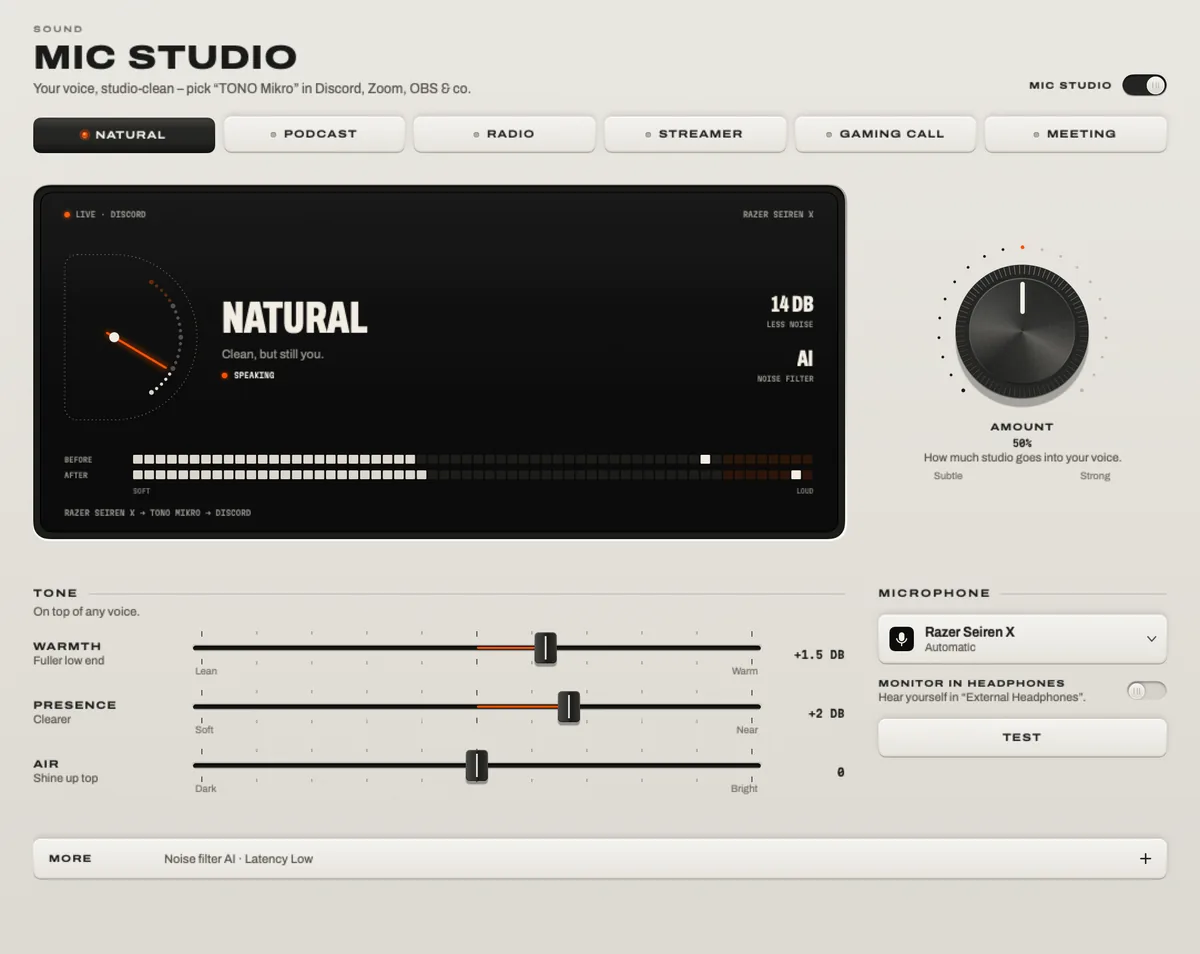
TONO’s limiter keeps you from clipping when you shout, and the compressor keeps your level even when you lean back. The AI filter runs on your Mac – nothing is sent to a server.
5. Quick fixes
- Robotic or choppy voice: two noise filters are fighting – turn one off.
- Others hear their own voice: you’re on speakers without echo cancellation – use headphones or switch it on in Discord.
- Others hear your game: the mic picks up your speakers – use headphones, or send the game to your headphones with the App Mixer.
- You need to mute fast: Control Option Command M mutes your mic in every app at once (TONO Free).
Questions
Why does my mic sound bad on Discord on Mac?
Most often it’s the wrong input device, a level that’s too high or too low, a Bluetooth headset mic in call quality, or two noise filters working against each other. Fix those first, then add a noise filter like TONO Mikro for keyboard and fan noise.
Should I use Discord’s noise suppression or TONO?
One of them. TONO’s filter works in every app and adds a voice chain (gate, compressor, de-esser, limiter); Discord’s works only in Discord. With TONO Mikro as the input, turn Discord’s suppression off or down.
Does TONO Mikro add delay in Discord?
The AI filter adds about 56 ms, the Light filter about 11 ms – far below what people notice in a voice call.
Can I use my AirPods as the mic on Discord?
You can, but AirPods switch to call quality while their mic is in use, so games and music sound worse. A USB or built-in mic plus AirPods for listening sounds better on both ends.
Turn up your Mac.
Download free. All of Pro for one day. No account.
Download for Mac Hear it first
Free to keepPro from €3.99 a monthmacOS 15+Apple silicon