Guide · 3 min read
How to use an equalizer with Spotify on Mac
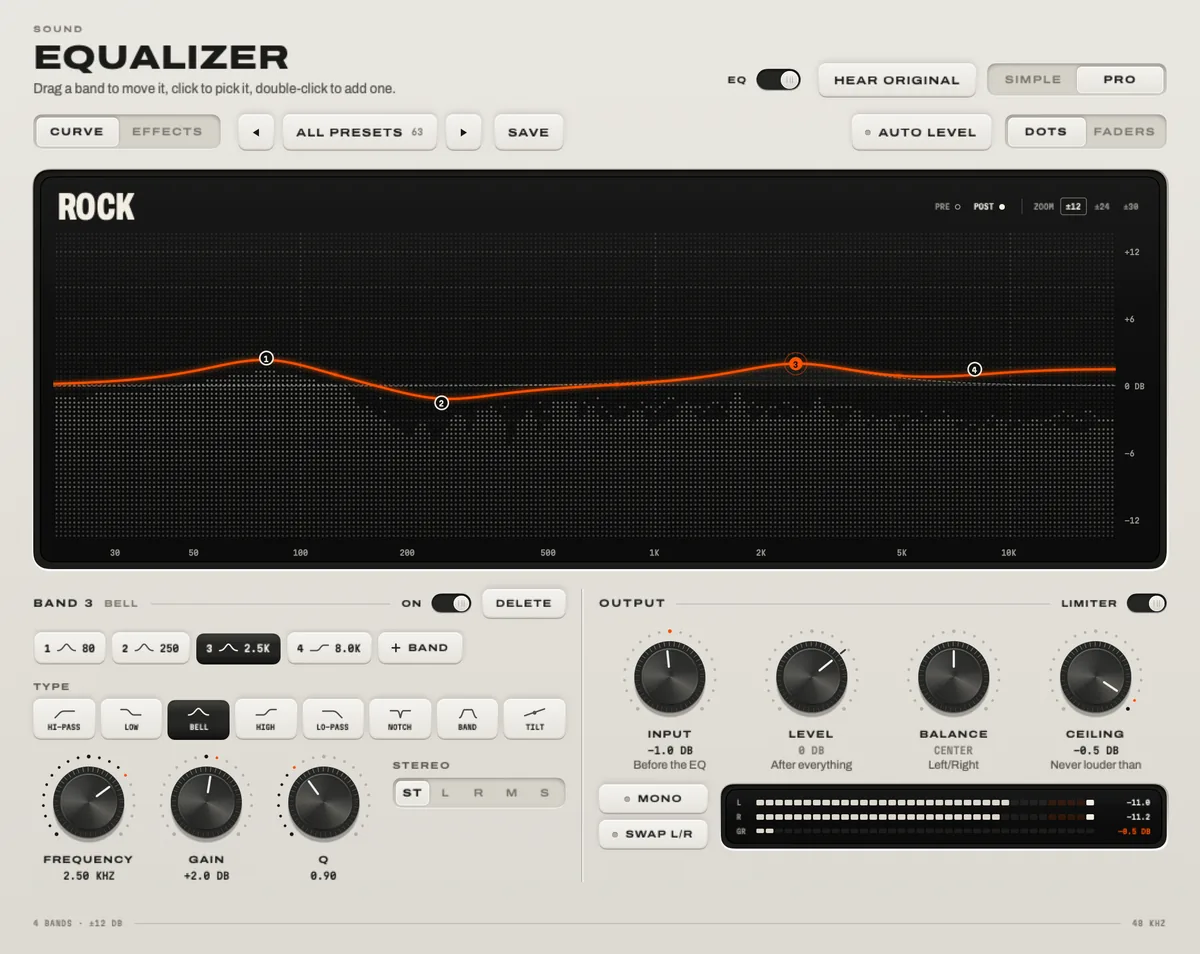
There are two ways. Spotify’s own equalizer is in the desktop app under your profile picture → Settings → Playback → Equalizer; it has a few presets and a simple curve, and it only changes Spotify. A system-wide equalizer such as TONO sits in front of Spotify and every other app, with ten faders and 60+ presets for free, headphone corrections from AutoEQ, and up to 24 bands in Pro.

Start with
2–3 dB
A clear change. Cut what bothers you before you boost the rest.
TONO 2.3.0macOS 15+Apple siliconUpdated
Option 1: Spotify’s built-in equalizer
- Open the Spotify desktop app and click your profile picture at the top, then Settings.
- Under Playback, switch Equalizer on.
- Choose a preset, or drag the points of the curve until it sounds right.
Good to know: the setting applies to Spotify on this Mac only. When you play to another device through Spotify Connect, Spotify doesn’t apply these audio settings. Safari, YouTube, Apple Music and games aren’t affected at all.
Option 2: a system-wide equalizer with TONO
- Download TONO and open it. The first time you switch the sound on, macOS asks for “Screen & System Audio Recording” – that’s the permission’s name; TONO processes the sound live and records nothing unless you press record.
- Play something in Spotify. You’ll see it on TONO’s live display.
- Pick a preset – Hip-Hop, Pop, Classical, Loudness, Warm … – or pull the ten faders.
- Hold HEAR ORIGINAL to compare with the untouched sound. If the difference isn’t better, it isn’t worth keeping.
- Turn Spotify’s own equalizer off, so the two curves don’t stack.
- Optional: import a correction for your headphones from AutoEQ, and give your headphones and your speakers their own preset in Tools. TONO switches when the output does.
Which one should you use?
| Feature | Spotify’s equalizer | TONO |
|---|---|---|
| Affects | Spotify on this Mac | Every app: Spotify, Apple Music, YouTube, games, calls |
| Control | Presets and a simple curve | 10 faders and 4 quick controls (Free) · up to 24 parametric bands (Pro) |
| Presets | A set of genre presets | 60+ loudness-matched presets · AutoEQ import · one preset per output |
| Louder | – | Up to +12 dB free, +18 dB with Pro – with a look-ahead limiter |
| Cost | Included in the app | Free; Pro from €3.99 a month |
If you only ever listen in Spotify and want a little more bass, Spotify’s equalizer is enough. If you also watch YouTube, play games or switch between headphones and speakers, one equalizer for everything is simpler.
Starting points for common problems
Small moves go a long way: 2–3 dB is a clear change. Cutting what bothers you usually sounds cleaner than boosting everything else.
- Muddy or boomy: cut 2–3 dB between 200 and 400 Hz.
- Thin, no weight: lift the lows around 60–100 Hz by 2–4 dB, or turn up TONO’s Bass Boost.
- Harsh or tiring: cut 2–3 dB between 3 and 6 kHz.
- Dull: lift above 8–10 kHz by 2 dB, or use the Brilliant preset.
- Vocals buried: the Vocal Boost preset lifts the center only, so the rest of the mix stays where it is.
Two more settings in Spotify matter: set the audio quality as high as your plan allows, and keep volume normalization on if you switch between playlists a lot.
Questions
Does Spotify have an equalizer on Mac?
Yes. The desktop app has one under your profile picture → Settings → Playback → Equalizer. It changes only Spotify’s sound on that Mac.
Why doesn’t my Spotify equalizer work on other devices?
Spotify doesn’t apply its audio settings when you play to another device through Spotify Connect. A system-wide equalizer on the Mac only shapes what the Mac itself plays, too.
Can I use Spotify’s equalizer and TONO together?
You can, but the curves add up. Use one: TONO if you want the same sound in every app, Spotify’s if you only need it there.
Is TONO’s equalizer free?
Yes. The ten-fader equalizer, its 60+ presets and the headphone imports are in TONO Free and don’t expire (the 3D and 8D presets need Pro for their spatial part). The 24-band editor is part of Pro.
Turn up your Mac.
Download free. All of Pro for one day. No account.
Download for Mac Hear it first
Free to keepPro from €3.99 a monthmacOS 15+Apple silicon